iPhone Battery Health Stuck on a Spinning Wheel After First Setup
Quick summary
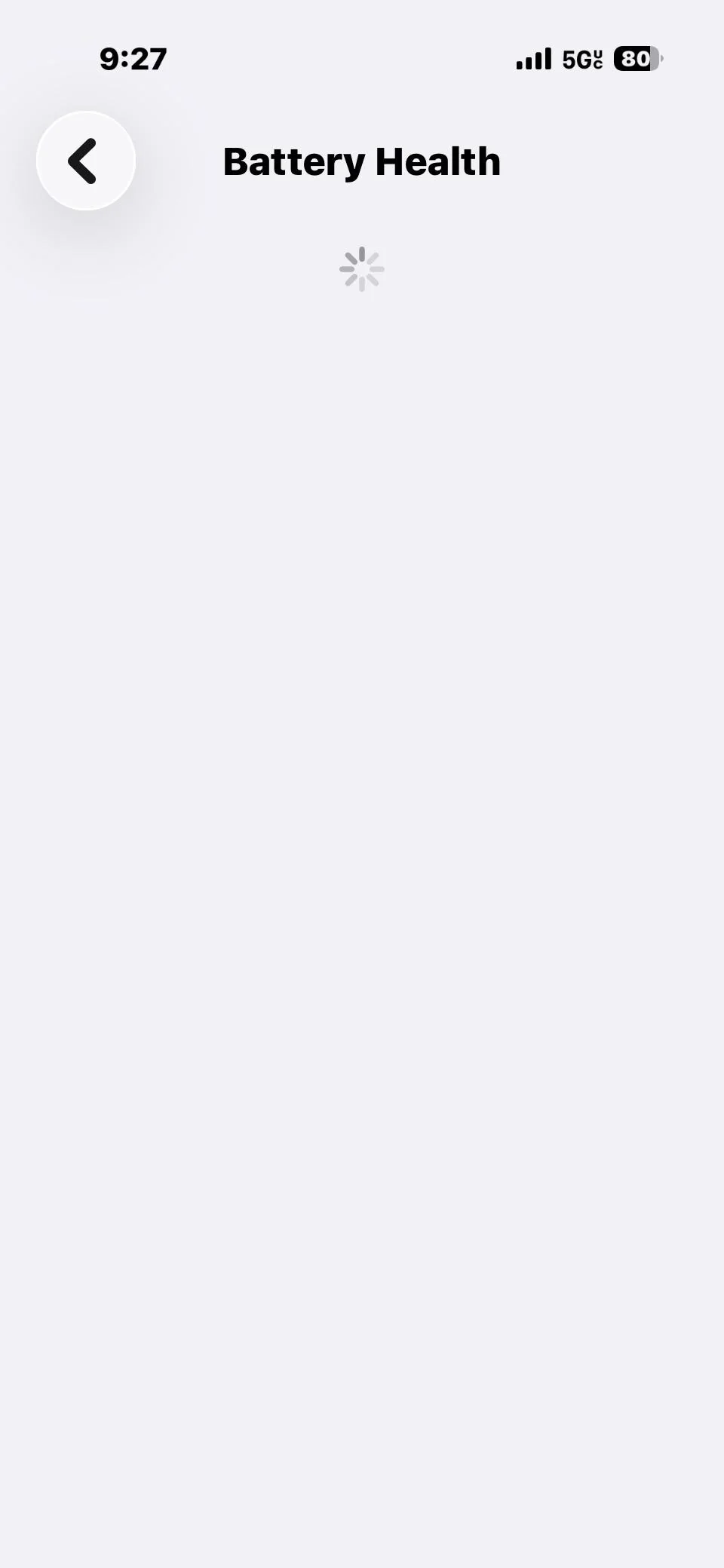
Right after setting up a brand-new iPhone, tapping into Battery Health & Charging can show nothing but an endless loading spinner instead of your battery percentage — even though setup otherwise went fine. This is a known, fairly common glitch on freshly-activated phones (not just a one-off), and the fix is simple: fully power the iPhone off, then back on again. Not a soft restart or force restart — a proper full shutdown and power-on. It resolves immediately.
This article is based on a real case: a brand-new iPhone 17 Pro hit exactly this after first setup, and a full power-off/power-on fixed it straight away. It's also independently reported by other iPhone 17 owners on Apple's own community forums, so this isn't an isolated fault.
Symptoms
- You've just finished setting up a new iPhone (either as new, or restored from backup).
- Go to Settings → Battery → Battery Health & Charging.
- Instead of showing a maximum capacity percentage, the screen just shows a spinning loading indicator that never resolves — even after waiting several minutes.
- Everything else about the phone works normally; it's specifically this one screen.
The fix
1. Fully power off the iPhone
On Face ID models (including iPhone 17/17 Pro/17 Pro Max), press and hold the side button and either volume button together until the power-off slider appears, then drag the slider. Wait for the screen to go completely black.
2. Power it back on
Hold the side button again until the Apple logo appears.
3. Check Battery Health again
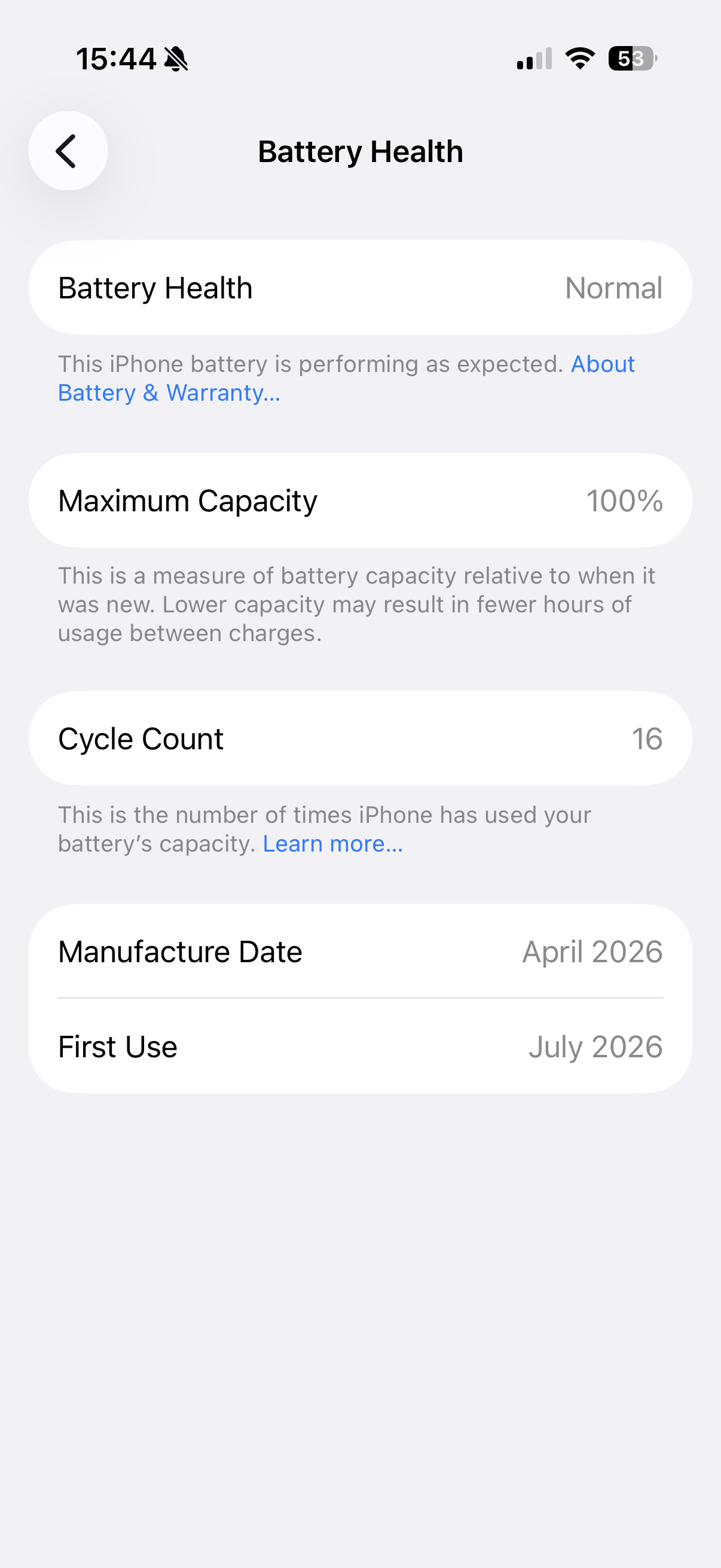
Settings → Battery → Battery Health & Charging. In the confirmed case this article is based on, the percentage loaded immediately after the restart — no waiting required, no further steps.
Why this happens
This looks like a first-time data sync issue rather than anything wrong with the battery itself — the Battery Health screen needs to pull calibration/health data that hasn't finished settling right after activation, and a full power cycle forces it to re-request that data cleanly rather than staying stuck waiting on whatever didn't complete the first time. The battery itself is fine throughout; it's the display of its health data that's stuck.
If a restart doesn't fix it
If a full power-off/power-on doesn't resolve it, try a force restart instead: on iPhone 17 models, quickly press and release Volume Up, quickly press and release Volume Down, then press and hold the side button until the Apple logo appears.
A different cause — don't confuse the two
If Battery Health is missing or won't load on an older iPhone that's had a battery replaced, especially by a non-Apple-authorised repair shop, that's a completely different and unrelated issue — Apple can permanently hide Battery Health data if it doesn't recognise the battery as genuine, and no restart will bring it back. Check Settings → General → About → Parts & Service History to see whether the battery is recognized as genuine before assuming this is the same glitch as a new-phone setup issue.
Still not working?
If Battery Health still won't load after both a full restart and a force restart, and this isn't a phone with third-party battery work done, contact Apple Support — this would be unusual enough to be worth their diagnostics rather than further self-troubleshooting.

Created by: Sort IT
Still not sure? Have a question?
Report content
×Report submitted
Thanks for helping keep Sort IT accurate.